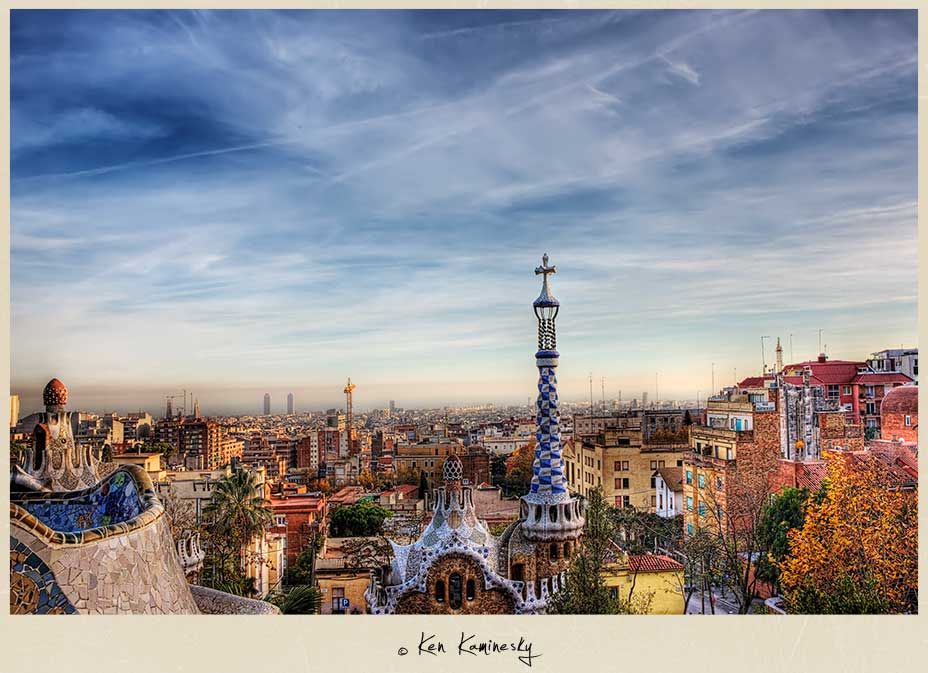

Post Pic

Everything You Need to Know About HDR Photo Effect

HDR is a shortening of ‘High Dynamic Range’. Basicly HDR technique flavours your photos with a whole new look, colorful and even quite magical. Usually it’s done in Photoshop by adjusting the image shadows, highlights and playing around with filters. This article provides you with a useful collection of HDR tutorials, tips and some inspiration. Time to create some stunning images.


First of all, take a look at some examples, how does this HDR technique looks. You might as well get some inspiration for your future works ;)

> 100 Remarkable HDR Pictures

HDR Photography

> 50 Incredible Examples of HDR Photography

HDR Photography

> 40 Beautiful HDR Pictures You Would be Amazed

HDR Photography

> 36 Awesome HDR Animal Photos

HDR Photography


HDR inspiration

I found a very good quote on Hongkiat.com:
"There are two basic types of HDR photos. The first are true HDR composite photos, created by taking multiple shots of a subject at different exposures and combining them. The second technique involves using Photoshop effects and adjusting the shadows, highlights, and other settings."

If you’re interested in creating real HDR images, you’ll need a better equipment than many amateur photographers have:

  • A camera capable of taking images in RAW format
  • A good quality tripod
  • Software such as Photomatix or Photoshop

Read more about the real HDR photography and tutorials for it:

> 10 Real HDR Tutorials
HDR Tutorials


Lets move on to the “fake” HDR technique, which it’s done in Photoshop by adjusting the image shadows, highlights and playing around with filters. The outcome won’t be as professional as in real HDR photography, but your pictures would still look quite amazing. It’s important to use it in moderation and be careful with the settings, otherwise you might end up with a big fail ;) Take a look at some very useful tutorials:

> Creating an HDR Photo Effect in 3 Simple Steps

HDR Tutorial

> 8 Easy Steps to Fake an HDR Effect in Photoshop
HDR Tutorial

> Two Methods of Fake HDR Effect Using Photoshop

HDR Tutorial

> Quite Easy Way to Fake HDR Photos in Photoshop

HDR Tutorial

> Very Simple Fake HDR Photoshop Tutorial
HDR Tutorial


6 Responses

03.28.10

Useful article, thank you;)

03.28.10

Thanks for this article. I have been trying to do this effect well, and not over do it like so many people do.
Thank you.
Richard´s blog: Latest post – A few images My ComLuv Profile

03.28.10

Awesome HDR-Collection, if you want to know more about HDR don’t miss Best of High-Dynamic-Range – Fotos, Weblogs, Tutorials, Software, Books
Webstandard-Blog´s blog: Latest post – SEO Trends 2010 My ComLuv Profile

03.28.10

Thank you;)
Your article also provides a lot of useful info.

03.28.10

Great collection of resources! I have limited experience trying HDR photography, but no major successes yet. I’ll have to keep trying!
Ryan Cowles´s blog: Latest post – Lomography SuperSampler Review and Photo’s My ComLuv Profile

03.28.10

This is great, will be useful for me;)


Leave Your Response

* Name, Email, Comment are Required
CommentLuv Enabled

Archives

IP Communication
Toyota Center Tickets
Wells Fargo Center Seating Chart
Phone System

Submit your linkClose